


Aircraft Fleet View developed by CrossConsense is a Native App that gives you an always up-to-date view on your airline’s fleet status.
It indicates AOGs, delays and other important information. It provides the right level of detail to be useful but not crowded with information. Individual color-schemes in accordance with the corporate identity of your airline are, of course, possible. A new feature of Aircraft Fleet View is, like we call it, the “CAMO Release” feature. You can communicate with your CAMO via the App to get your CAMO Release for Service and the feedback of the CAMO triggers a push notification on your mobile phone or on the tablet you are using.
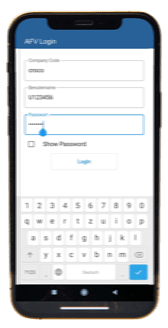
The Aircraft Fleet View is meant for the management of an airline that wants to get a general overview over the status of their fleet. It can also be used by a pilot sitting in the hotel who just wants to have a look on the status of the aircraft he/she is going to fly next.
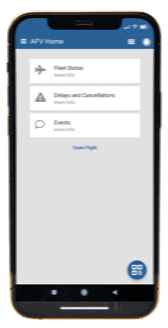
Our customers also use Aircraft Fleet View in the maintenance department just to get a quick overview over work to be done without logging in to the backend MRO system like AMOS, TRAX etc.
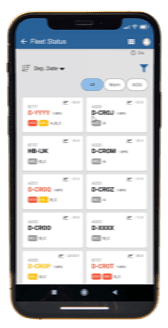
The Fleet Status shows you every aircraft within your fleet. For a defined range of fleet, you can use the filter option by either selecting all aircraft, only those that are in warning state and those with an AOG. Different colors (configurable) show immediately which aircraft are ok and which are facing a problem.
By selecting a tile, you get an insight into the specific problems of this selected aircraft with more details about the event.
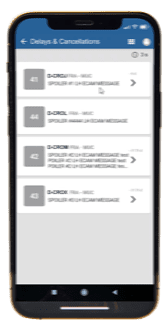
Aircraft with delays and the respective delay-time are shown on the overview of the Delays & Cancellations screen.
If you select an aircraft on the overview you can have a look on further details concerning the delay or the cancellation.
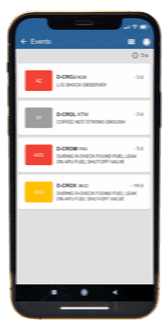
By selecting Events you get an overview on all recent events of your fleet. Further details about the event can be accessed by selecting the respective tile.
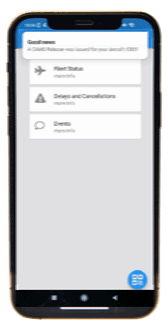
The “CAMO Release” feature enables you to communicate with your CAMO via the App to get your CAMO Release for Service for the specific aircraft you are going to fly. The feedback of the CAMO triggers a push notification on your mobile phone or on the tablet you are using that you are good to go.

Wizz Air uses Aircraft Fleet View. Read more why they decided to implement the App.
AviationDW is a managed data warehouse, tailor-made for use with your backend system, e.g. AMOS. A data warehouse is a component of traditional business intelligence, allowing the generation of key performance indicators (KPIs) and data analysis based on historical data. AviationDW greatly simplifies KPI creation based on MRO System data. To this end, AviationDW provides easy-to-understand database schemes allowing business end-users to explore data without implementing complex logic.
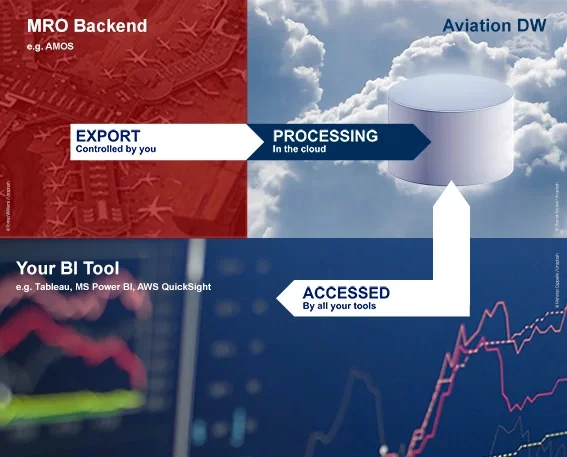
The application favours the use of existing in-house reporting and visualization tools. Simply connect to AviationDW with common solutions like Microsoft Power BI, Tableau, AWS QuickSight or other BI tools to directly benefit from existing knowledge and capabilities.
AviationDW in collaboration with one of the aforementioned BI tools gives you the ability to visualize data in an interactive intuitive way to delve deeper into the data with a targeted approach. Behind the scenes, the AviationDW data transformation jobs are running to prepare raw backend MRO system data for easy access. Whether you are interested in how many valves were replaced in which kind of AC at one special station or you simply need to know the delay duration in minutes for a single station. This data is all in your MRO System but with AviationDW we provide you a product that makes this data easily accessible and analysable.
Connection to your MRO System is as safe as it gets. Data is exported by your MRO System and sent to AviationDW. You can set filters according to your needs and the full control over all data export activity stays with you as our customer.
AviationDW has been developed and will steadily be improved together with Condor Flugdienst GmbH and DC Aviation GmbH which are also the first companies that will use the product. As it is their philosophy, CrossConsense strives to enhance and expand the functionalities of the tool together with its valued customers.


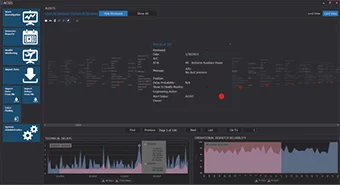
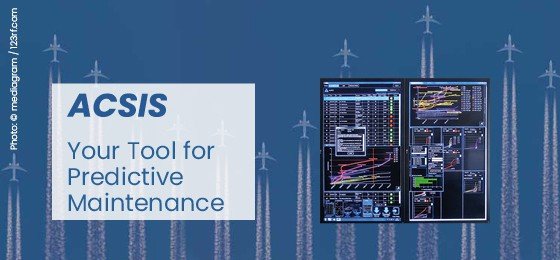
Experience a new intelligent and intuitive user interface. ACSIS redefines real time aircraft systems technical history visualization and alerting and saves you money and valuable time for your aircraft troubleshooters and engineers.
ACSIS will alert your maintenance personnel about any problem experienced by your fleet’s systems or components and help you find a solution for it before it is too late.
Our software uses a whole new philosophy and methodology coming from university research and tested for several years in a real airline environment.
Our Labs recognized the lack of engineering data analysis tools for the aviation industry that bring real time data to the airline’s maintenance management and used new methods and technologies to create a unique software – ACSIS.
ACSIS or AirCraft Systems Investigation Software is a new, very powerful and intelligent tool that will help boosting your fleet’s dispatch reliability and will save you huge amounts of money for every avoided technical delay.
Every single element of ACSIS is revolutionizing.
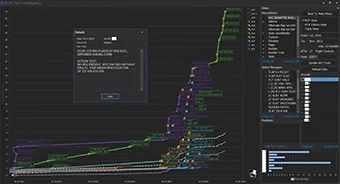
We brought a unique visualization method into the software that shows you the dynamic progress of your aircraft systems’ failures/ events.
First tool of this kind that doesn’t use the standard alert levels per ATA , but a new method that alerts you about a specific problem your fleet or a single aircraft experiences instead.
21st century, touch optimized, Metro design in smartphone style for faster and intuitive entries and analysis.
ACSIS is intelligently designed to avoid huge integration projects in your company. It is only a matter of days to integrate it.
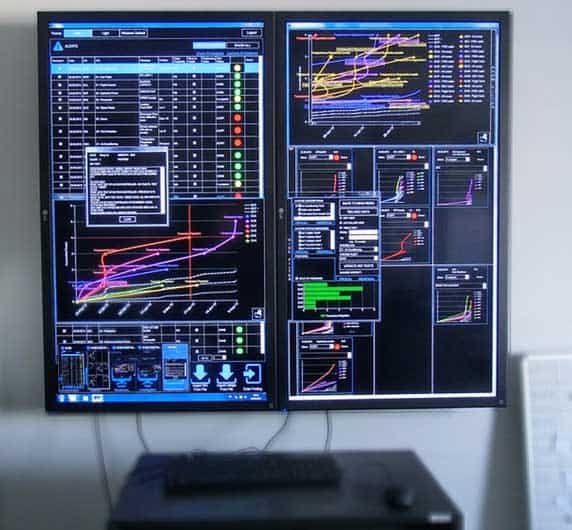

Daily events classification
Alert analysis
Delay Probability
Monthly Reliability Reporting
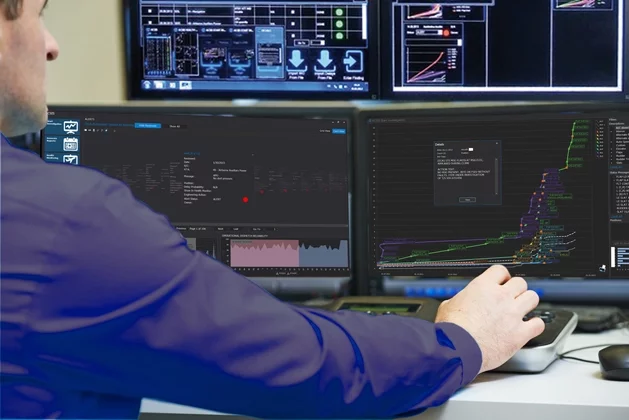
Daily events classification
We clean your data and tag each and every single unscheduled event with our ACSIS standardized descriptions.
Alert analysis
We analyse all ACSIS ALERTs in real time and filter them using human intelligence and provide you with them immediately after.
Delay Probability
We calculate the probability for a delay due to a certain problem on a specific aircraft to happen during/ prior next flight and inform you in advance.
Monthly Reliability Reporting
We provide you with a comprehensive, customized reliability report for your engineering and CAA.
Approvals can be a bottleneck. Waiting for an approval can cost you a lot of money. The higher you go in the chain of approvals, the less likely it is that the approver uses AMOS for day-to-day tasks. The Approval App developed by CrossConsense eliminates the need to log-in to AMOS. Save time and money and approve orders or other documents right from an app on your smart device!
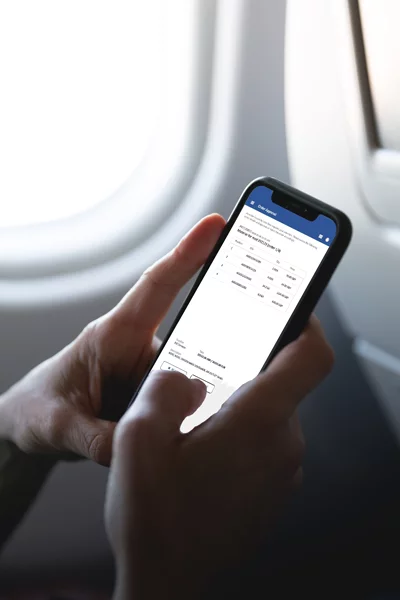
Imagine an AOG. Maintenance needs to order expensive spare parts and you are the one who must give approval.
You now have to log-in to your AMOS account and approve the order. But what happens if you are on a business trip and do not have access to your AMOS environment? With the Approval App installed on your smartphone, you get a push notification that your approval is required. You open the Approval App, check if everything is ok with this order and approve it. This takes seconds. Nobody has to wait and gets nervous. Handling of the AOG is quick and efficient.
This process ties straight into the AMOS approval control functionality. You can set up all your approval rules, like hierarchies etc., in AMOS and then you attach CrossConsense’s Approval App. Your users will enjoy the new easy approval workflow and will not need to power up a PC and log-in to AMOS just for giving a simple approval. Within seconds, AMOS receives the approval. Your data is always up to date.
The Approval App is not only for approving orders. You can also use it for document revision approval and other approval processes.